
Driver App
Find a charger, plug in, and pay — in a few taps.
A driver-facing app for finding nearby stations, checking live charger status, and starting a session with RFID or AutoCharge. Track charging progress in real time, manage payments, and get support through LINE — all without leaving the car.
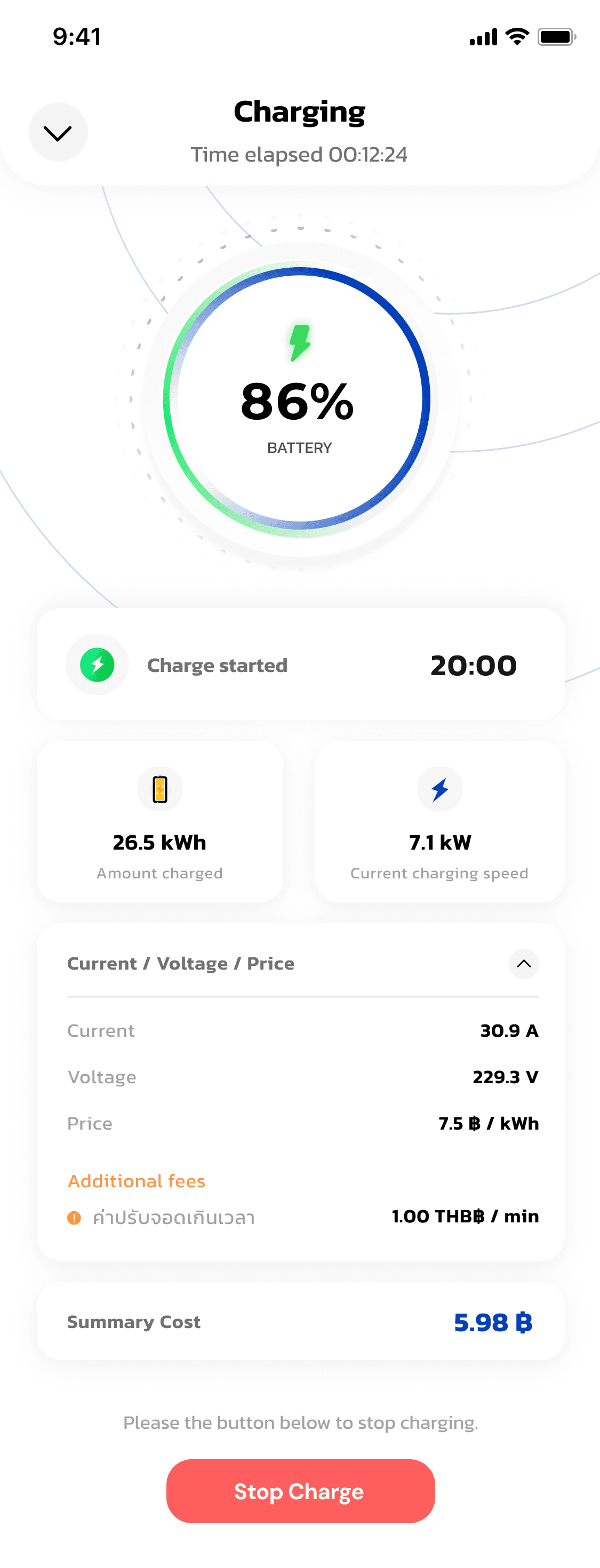
Key features
Station finder
See nearby stations, port status, and directions in one view.
RFID & AutoCharge
Start a session by tapping a card or just plugging in.
LINE support
Get help through the LINE OA drivers already use.
How it works
Register

Open the app to the splash screen
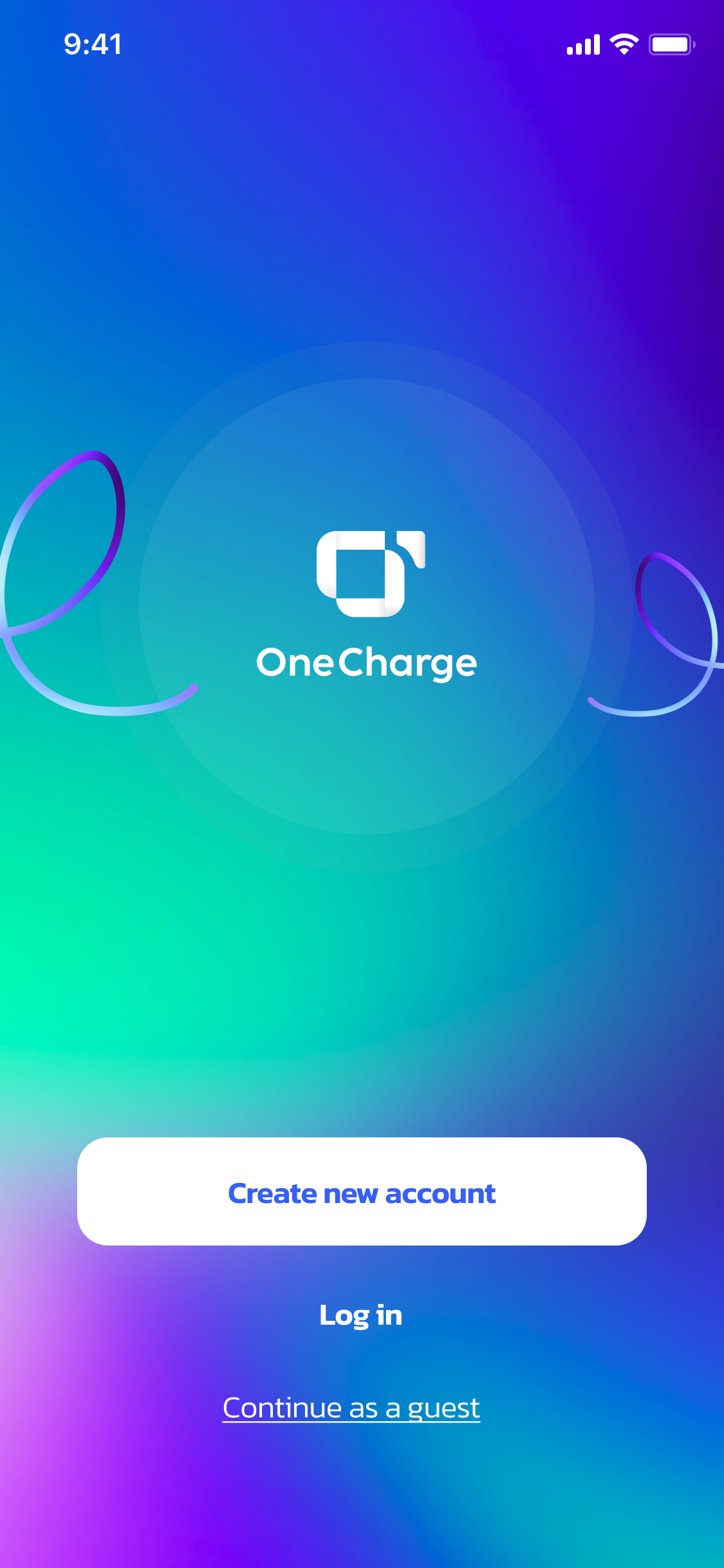
Create an account or log in
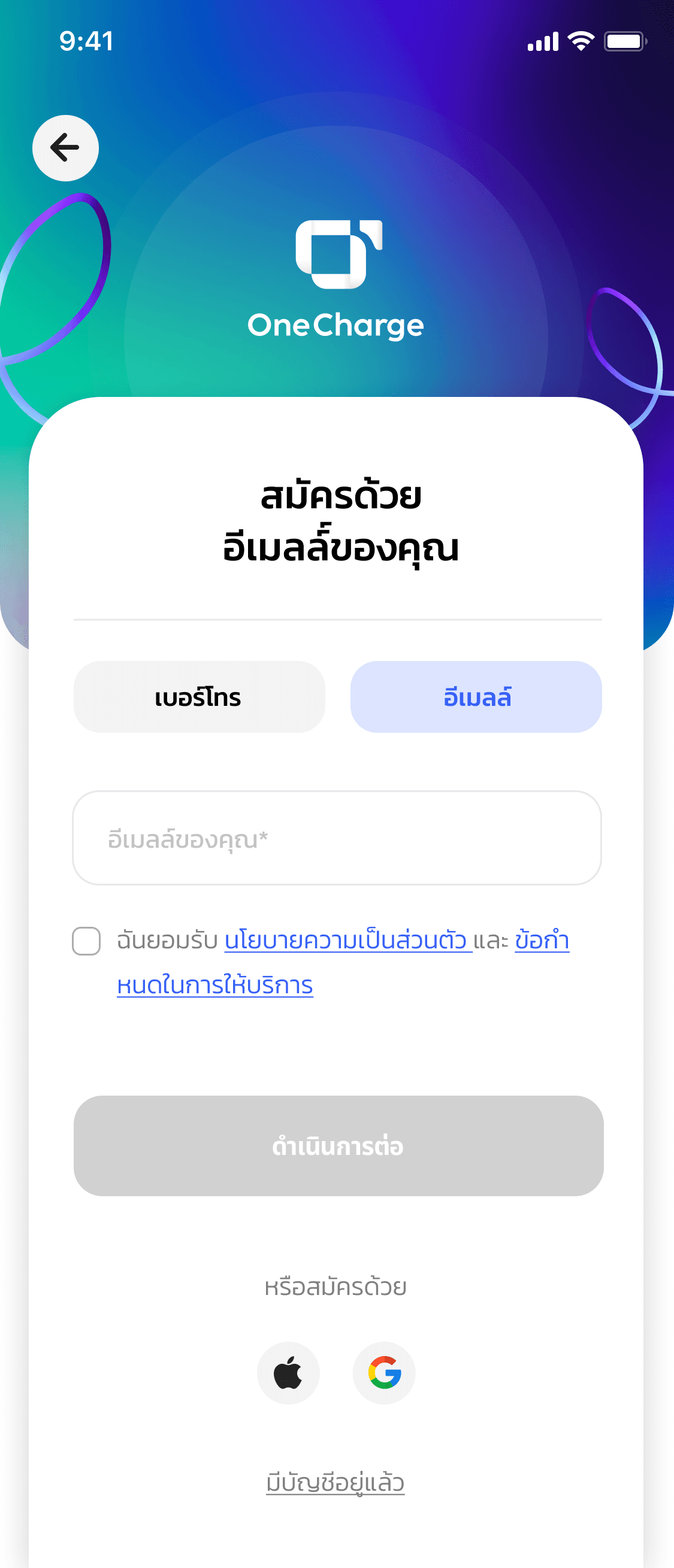
Sign up with your phone number
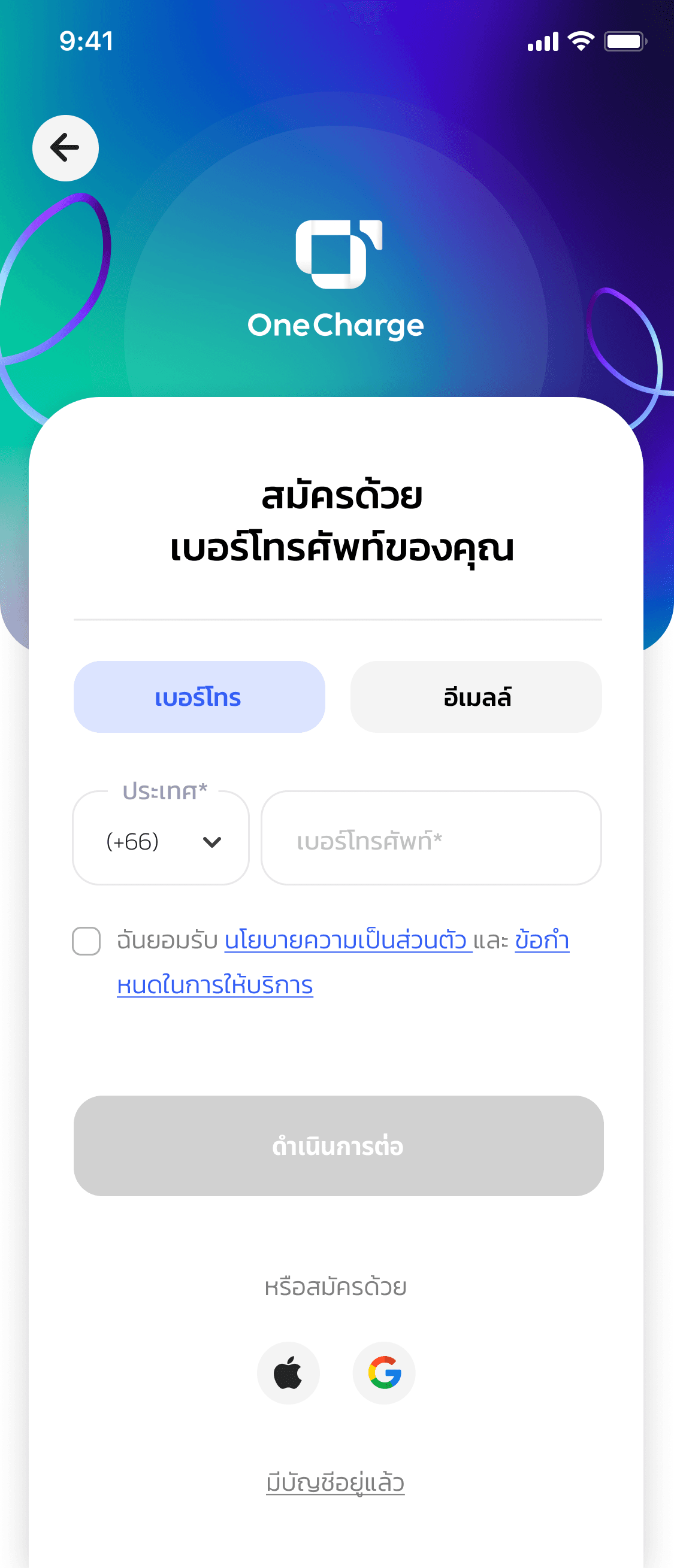
Confirm your phone number and accept the terms
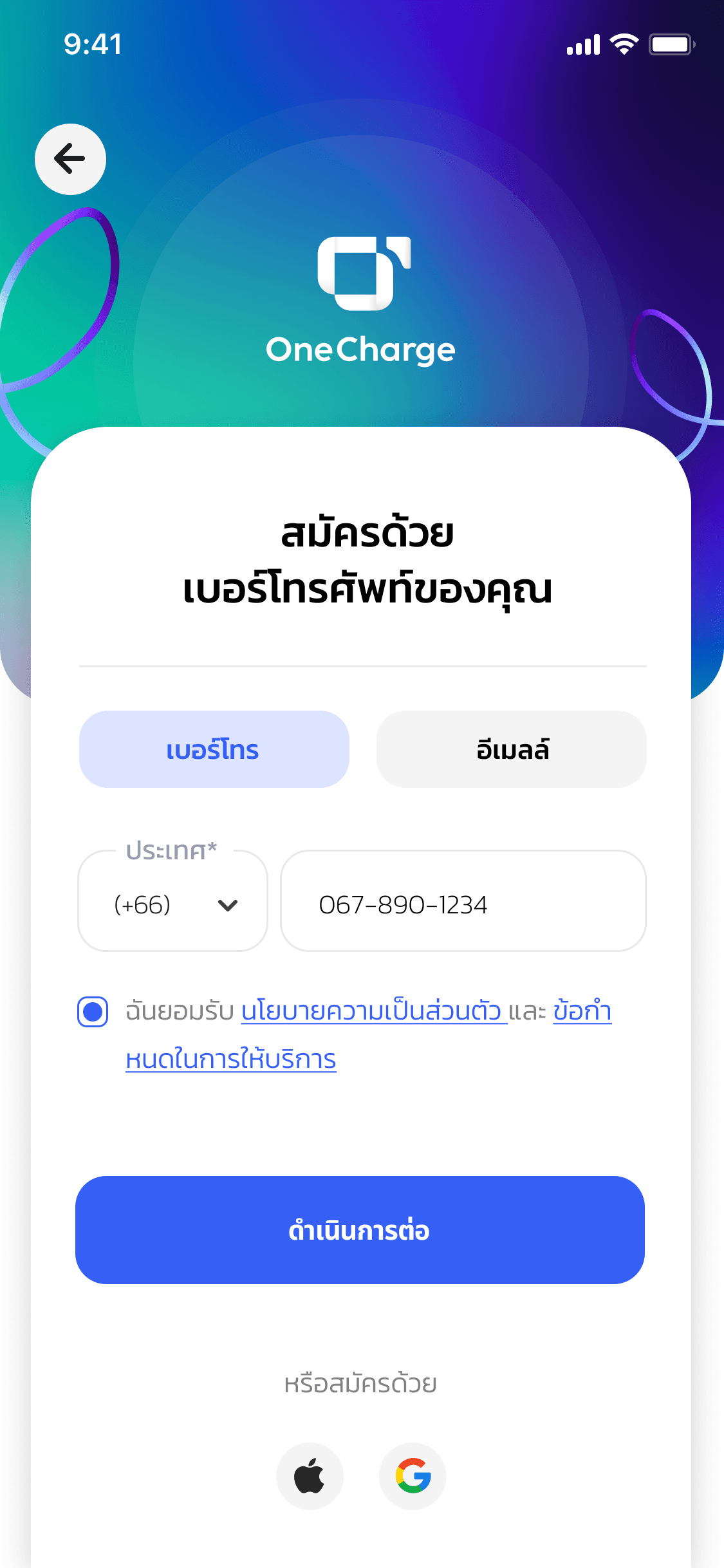
Or sign up with email
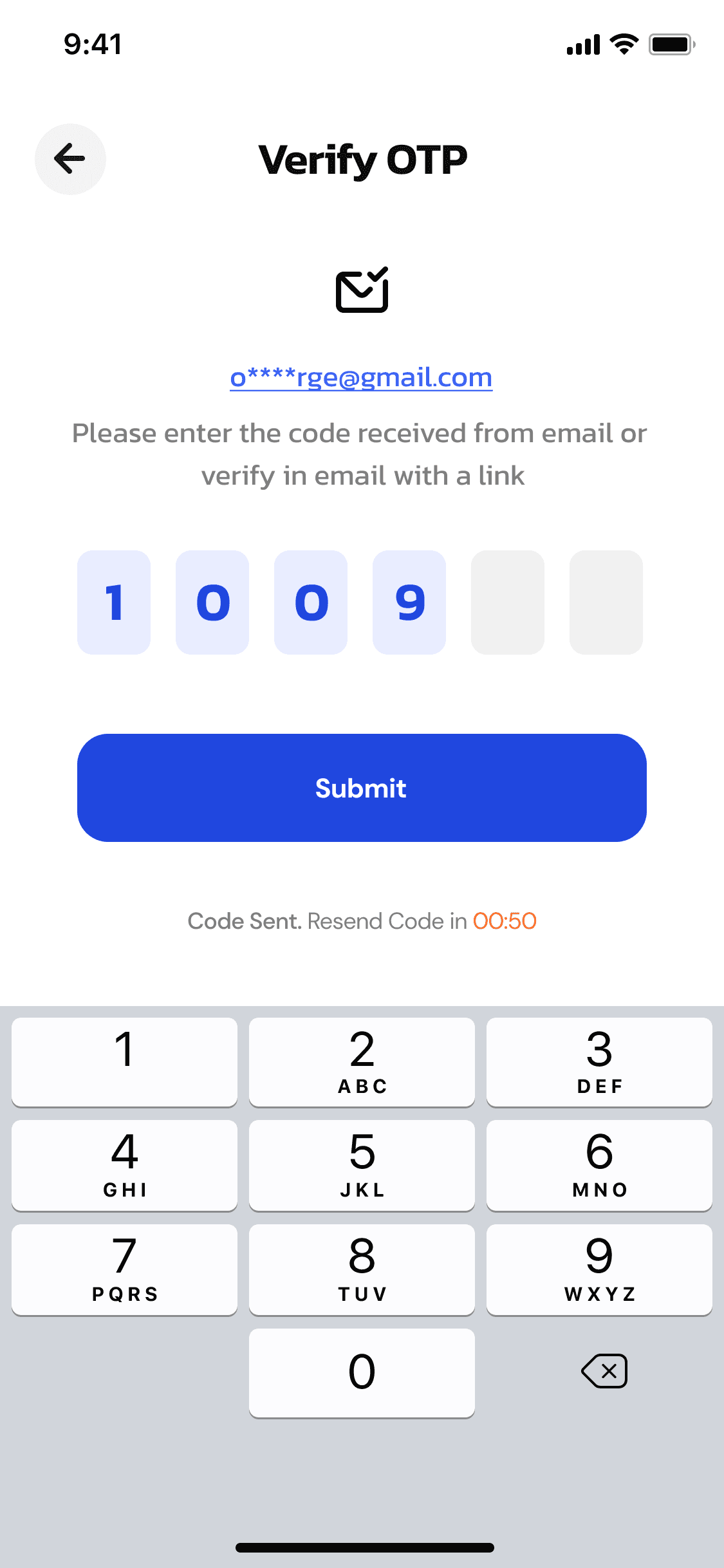
Enter the OTP verification code
Set up payment
Add a credit/debit card
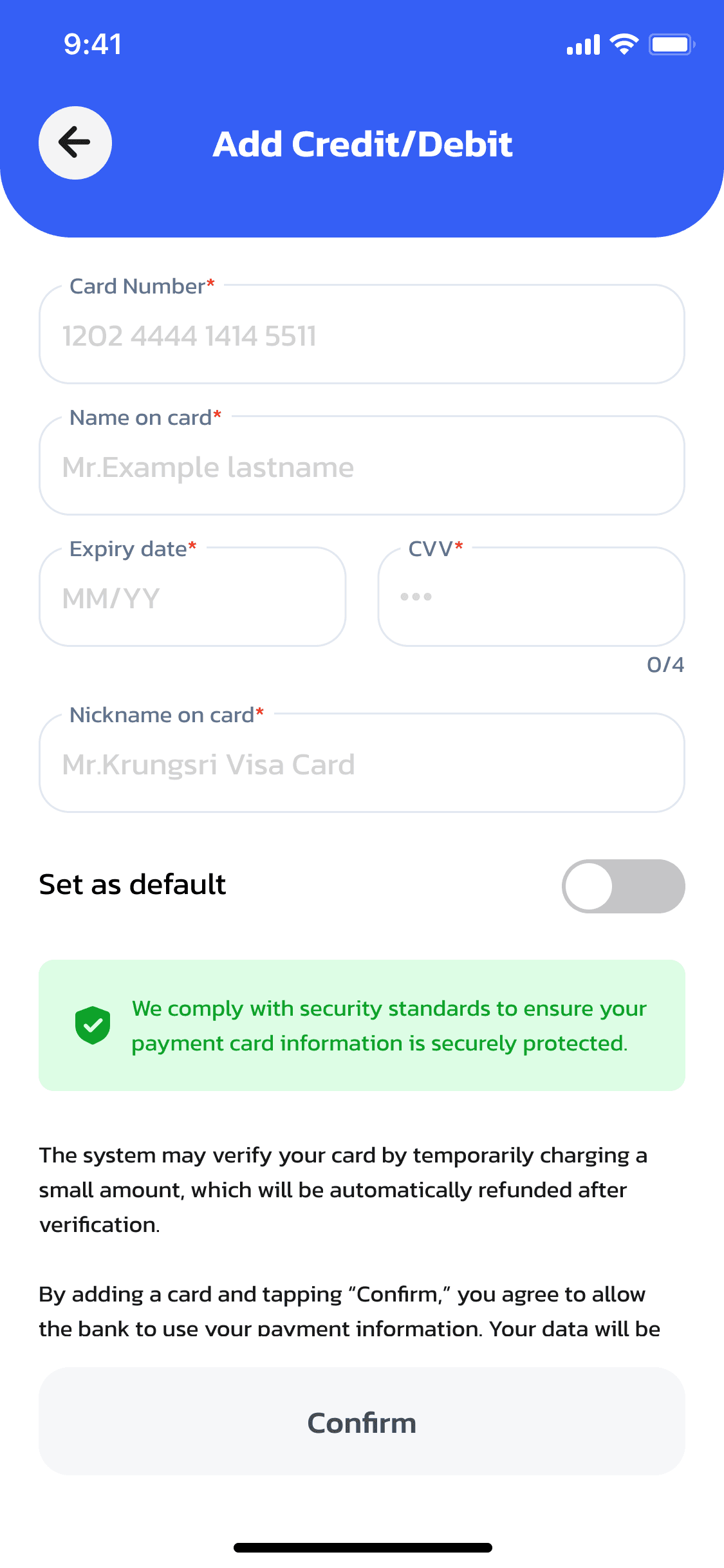
Open the Add Credit/Debit Card screen
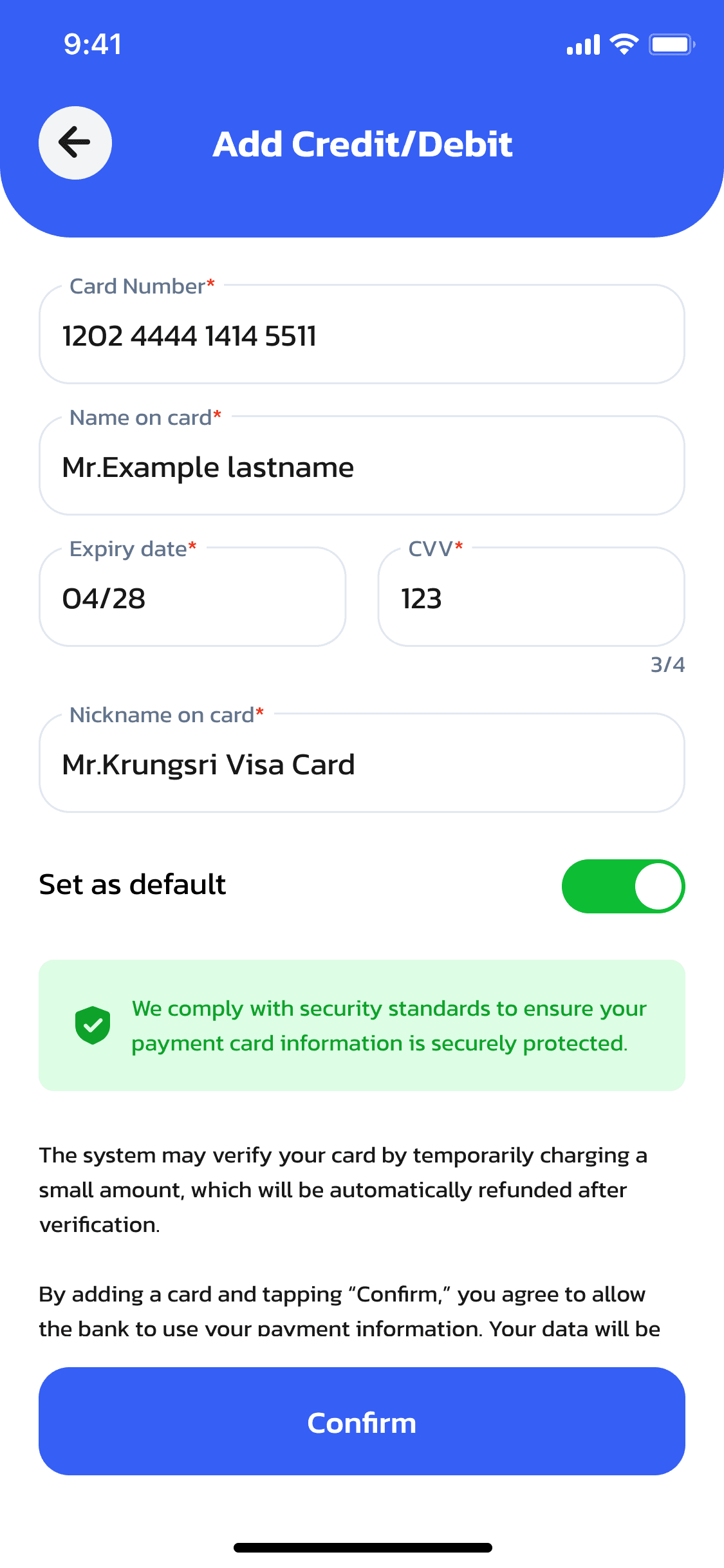
Fill in card details and tap Confirm
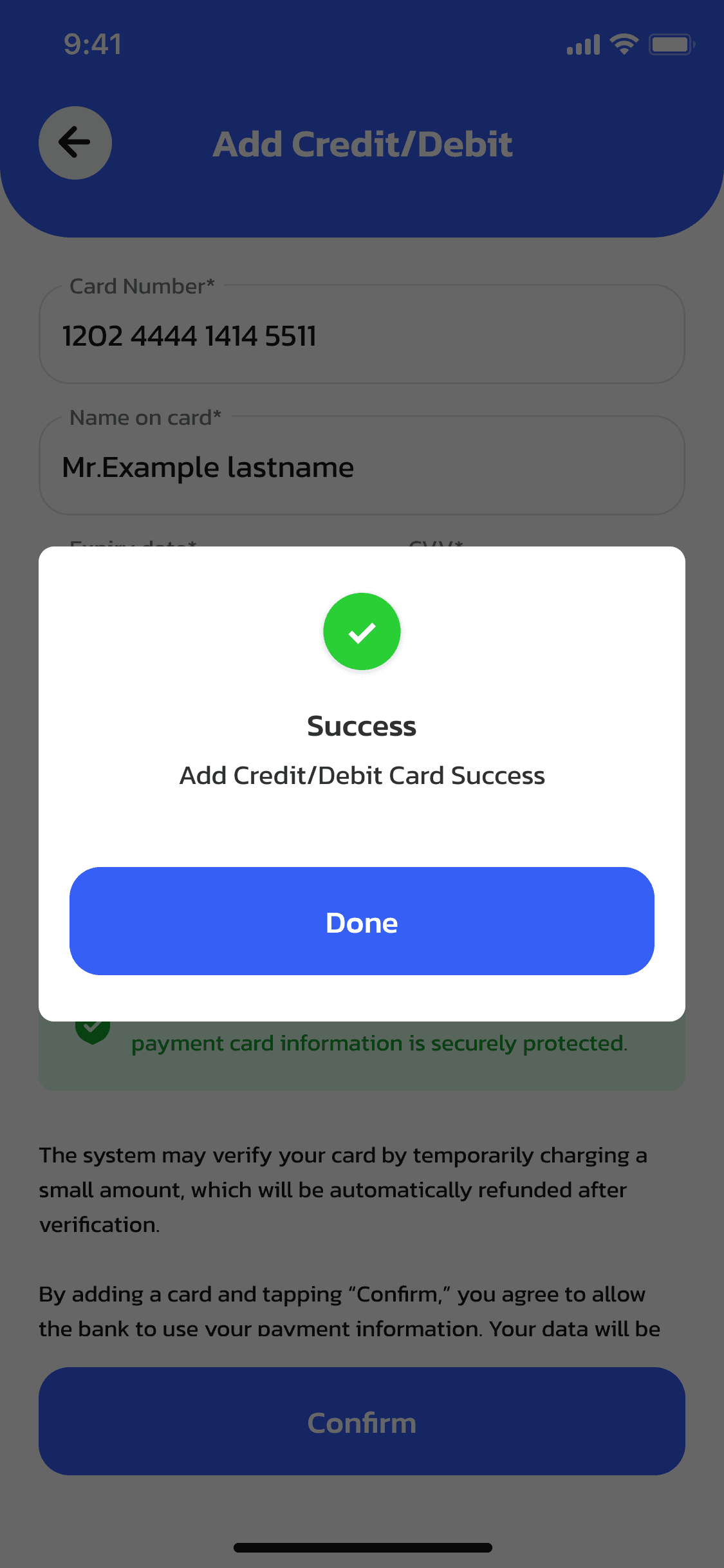
Card added successfully
Top up your wallet
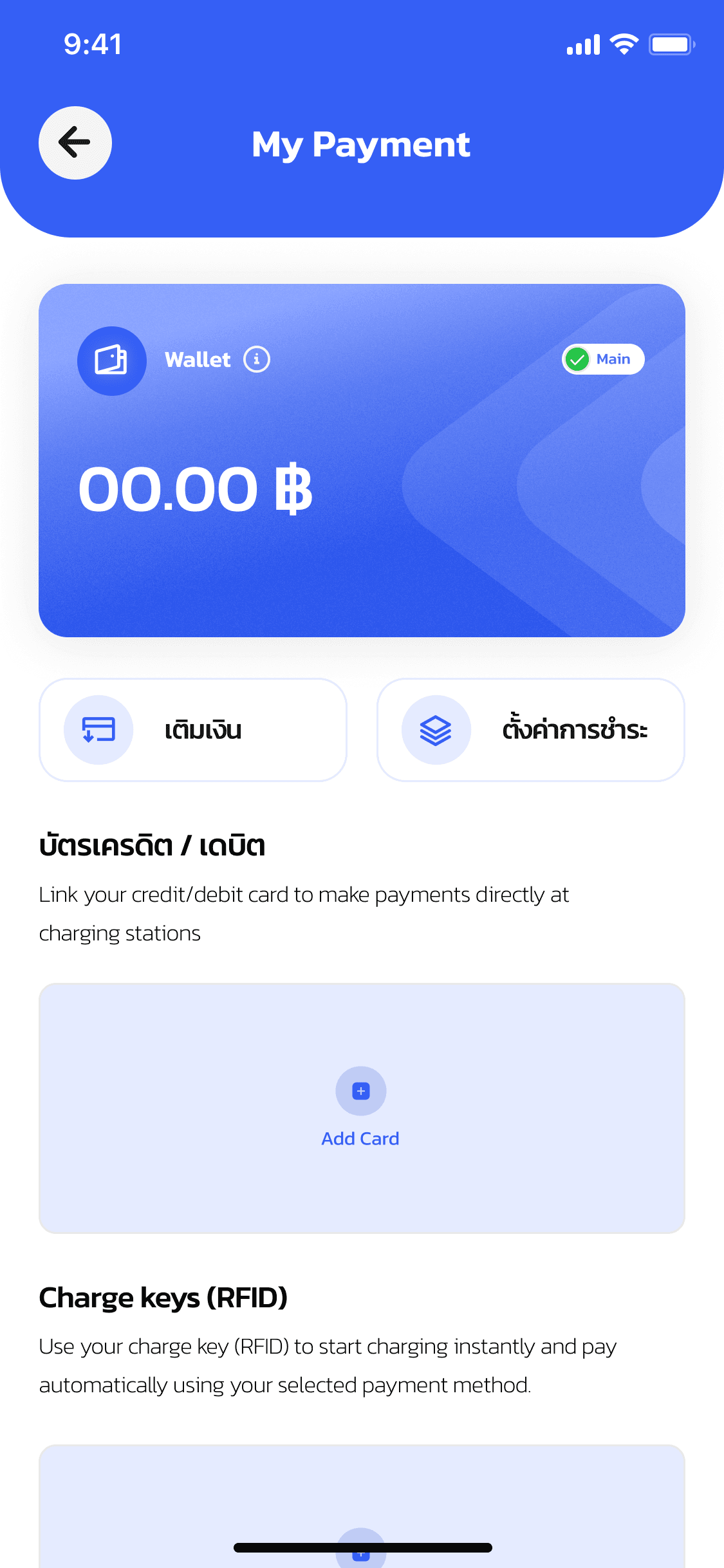
Check wallet balance and tap Top up
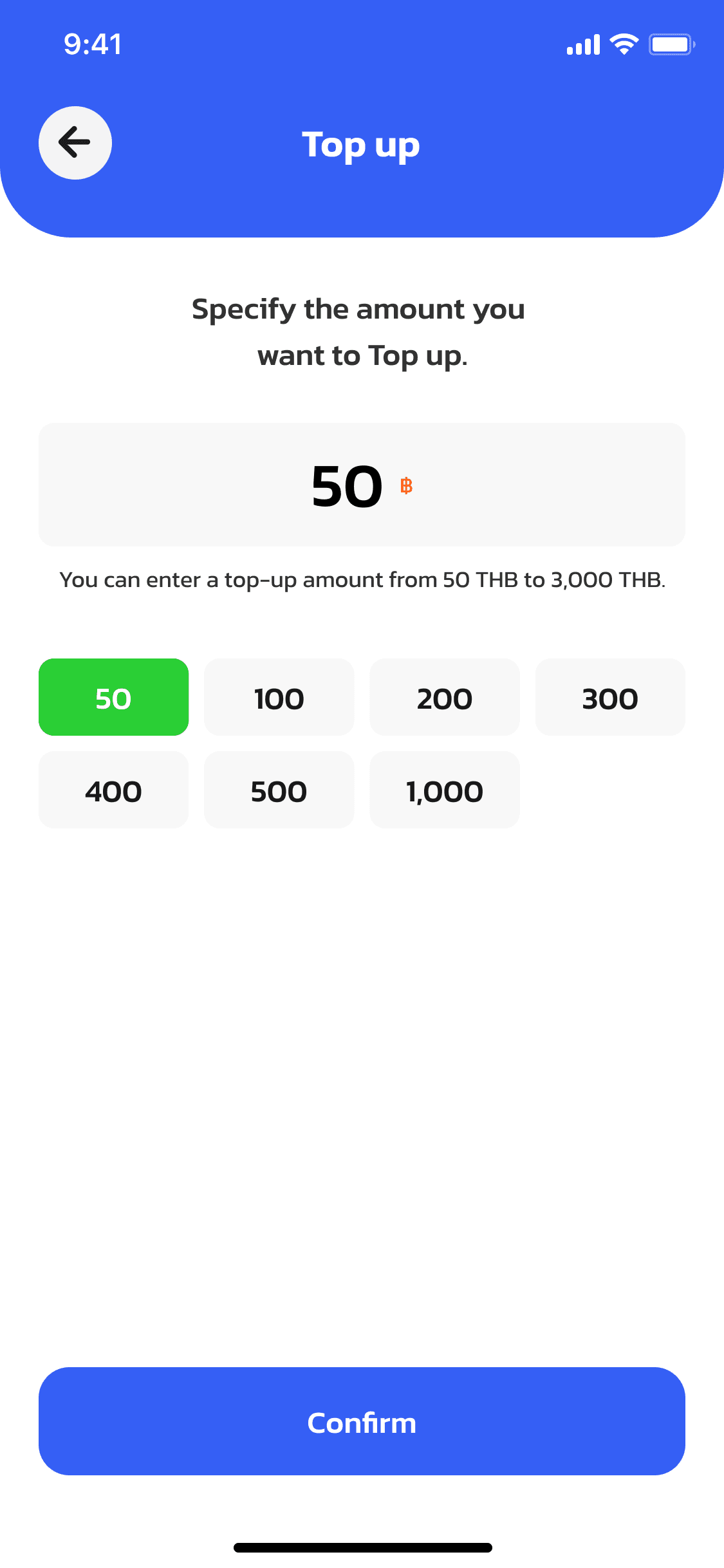
Enter the top-up amount
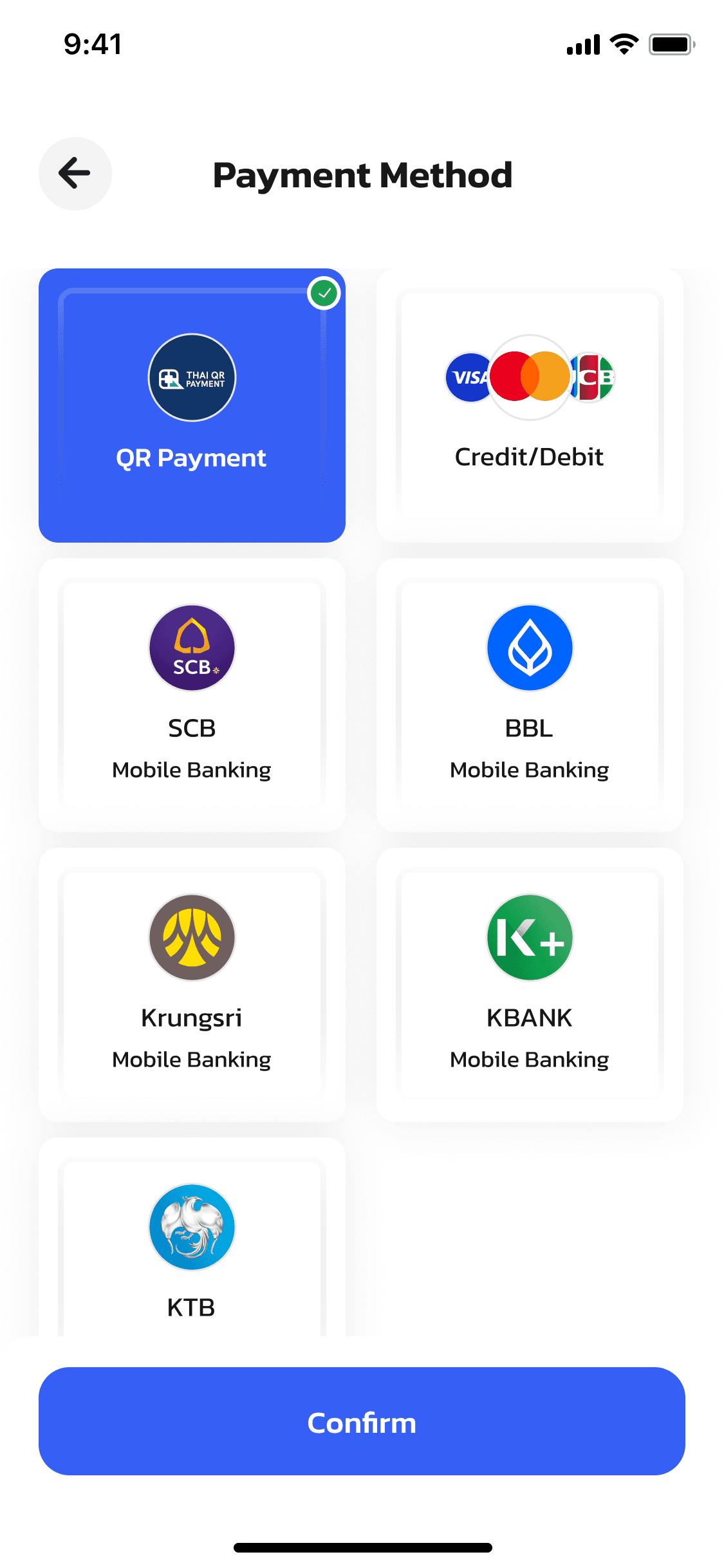
Select QR Payment and tap Confirm
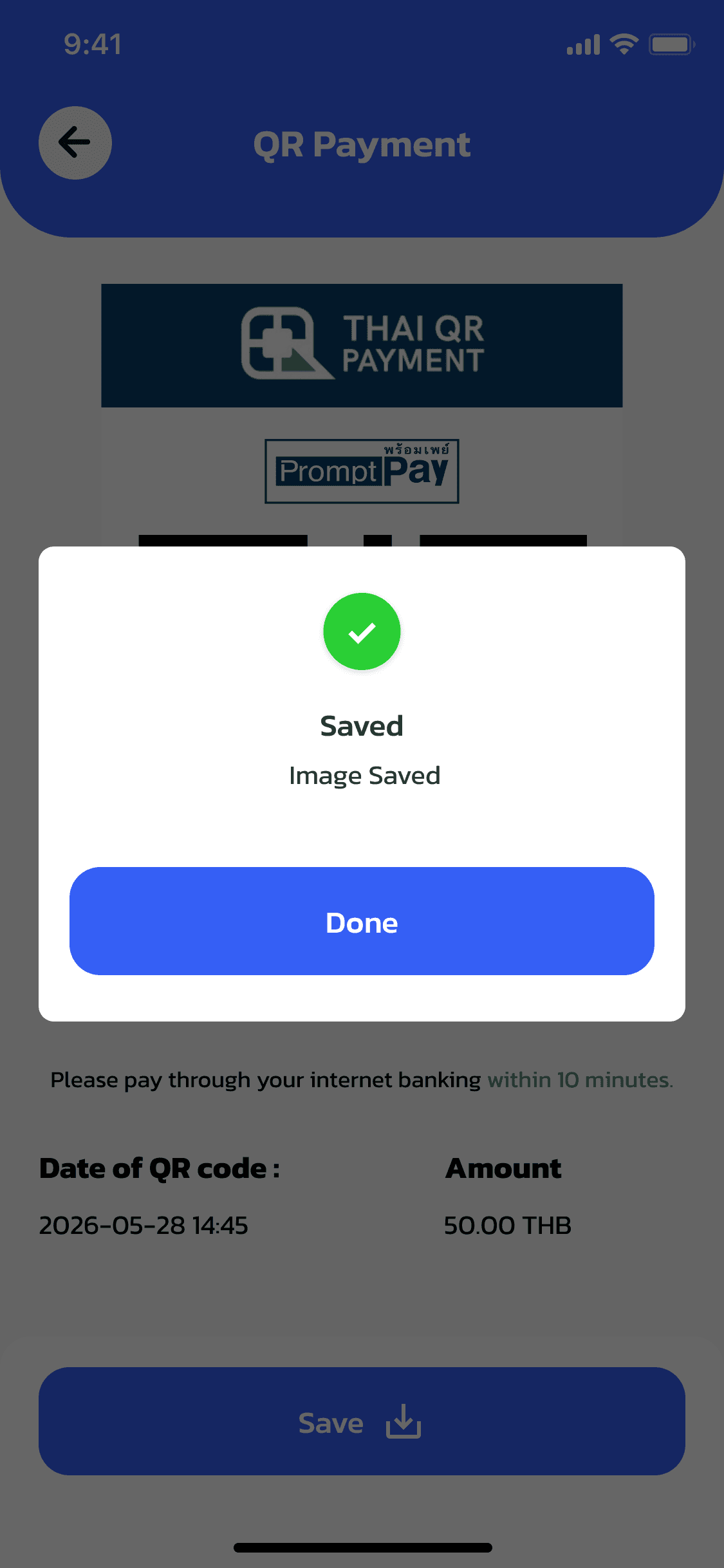
Scan the QR code to complete payment
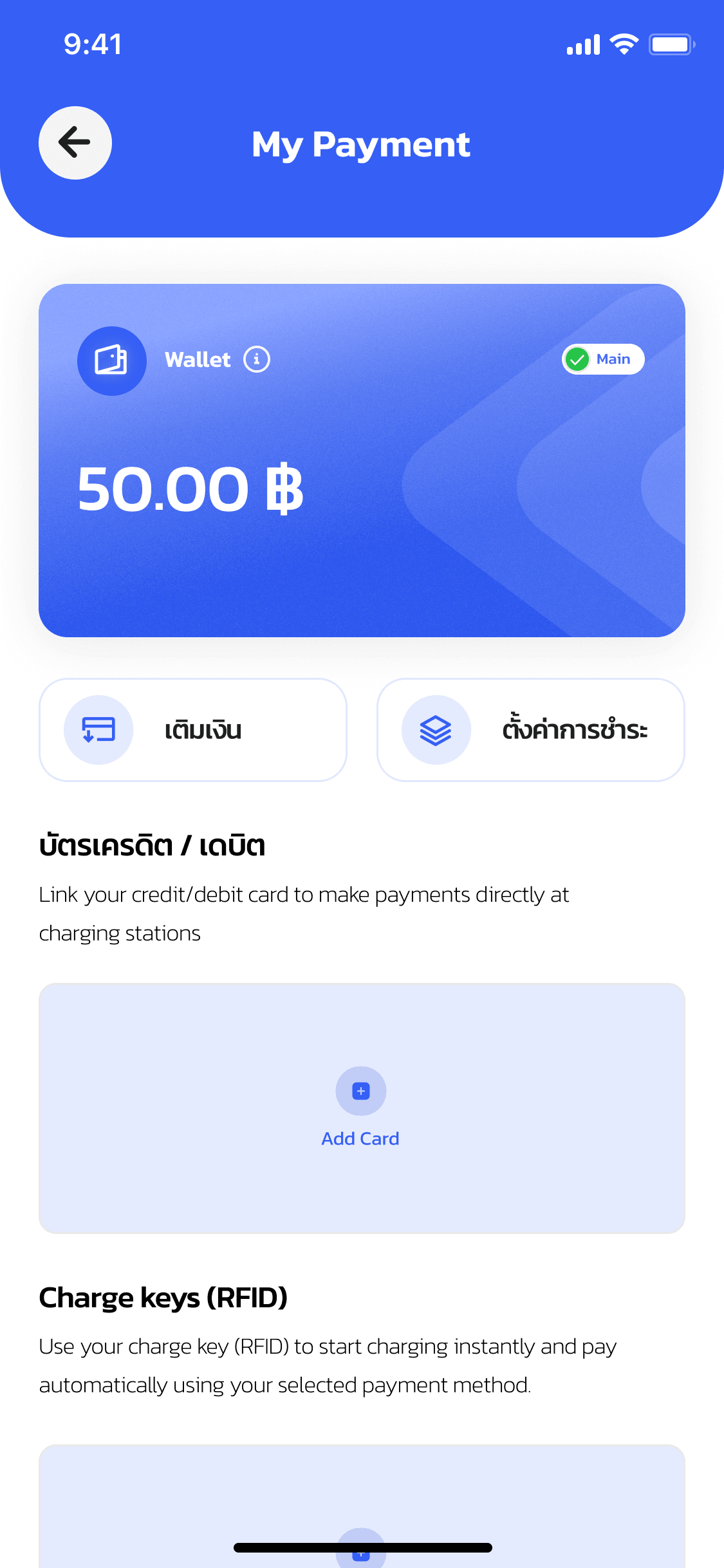
Back on My Payment with the updated wallet balance
Find & check a station
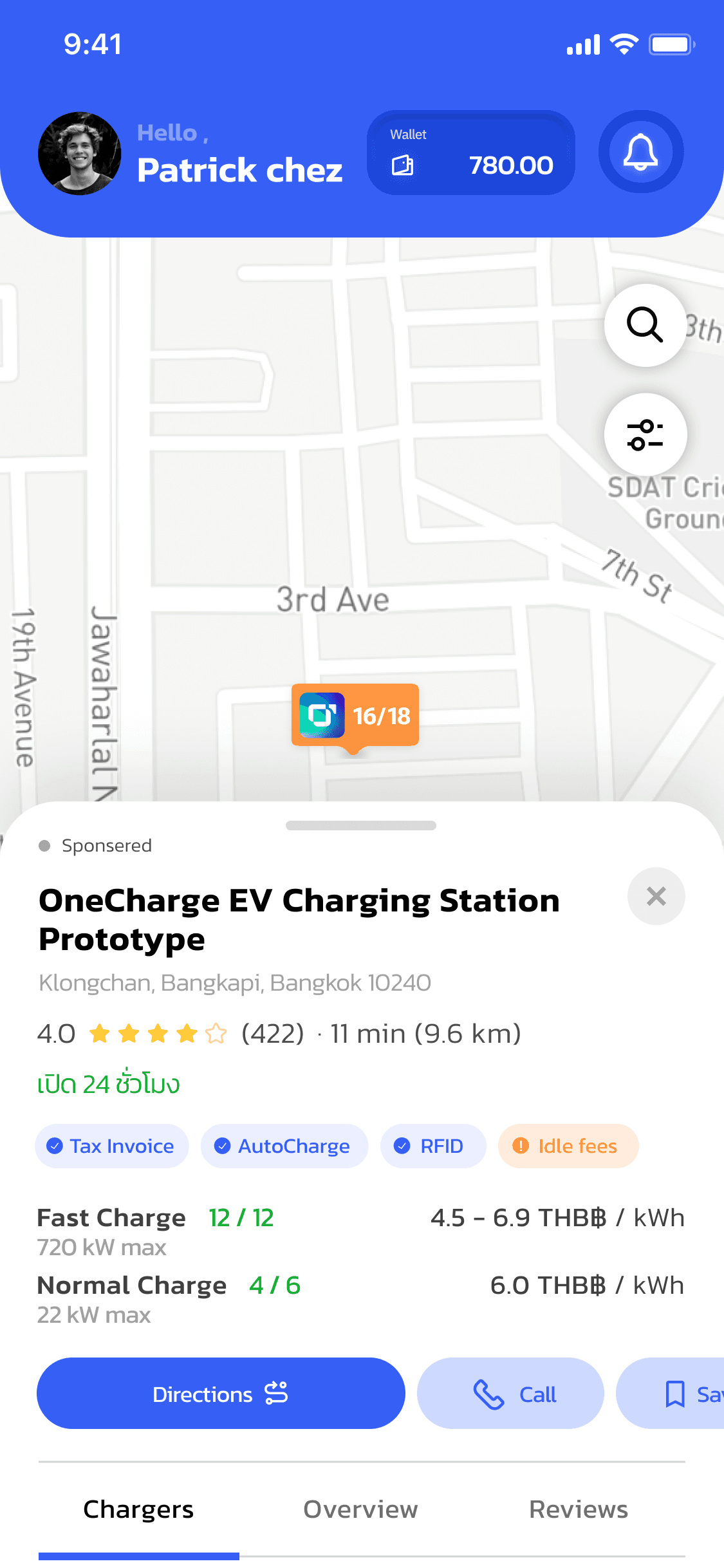
Tap a station pin on the map to preview details
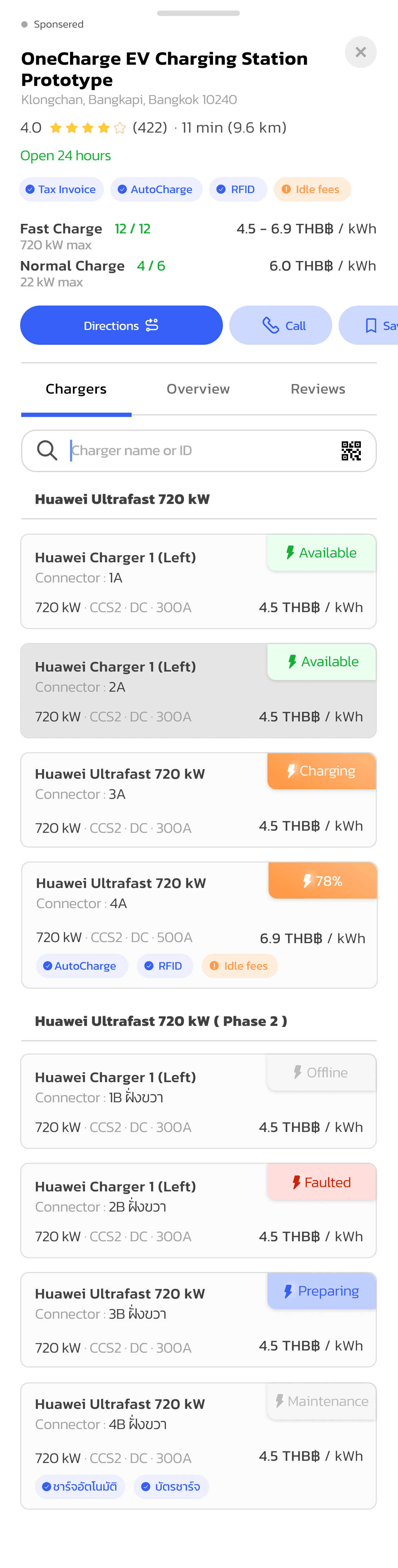
Browse chargers and prices at the station
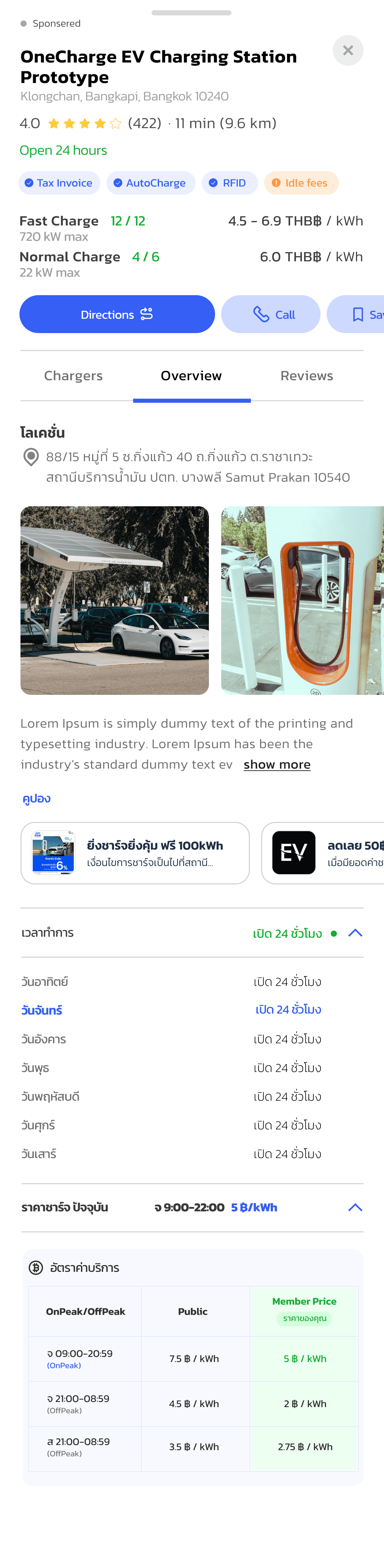
Station details in the Overview tab
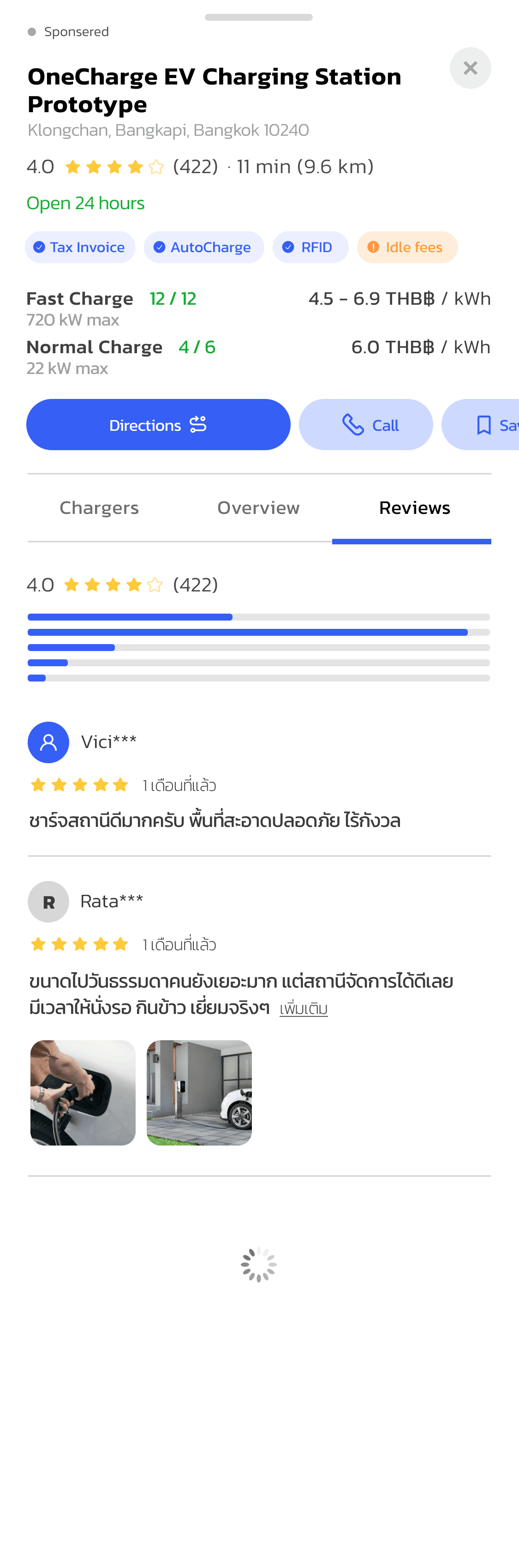
Read reviews and ratings for the station
Add your car & enable AutoCharge
Add your car
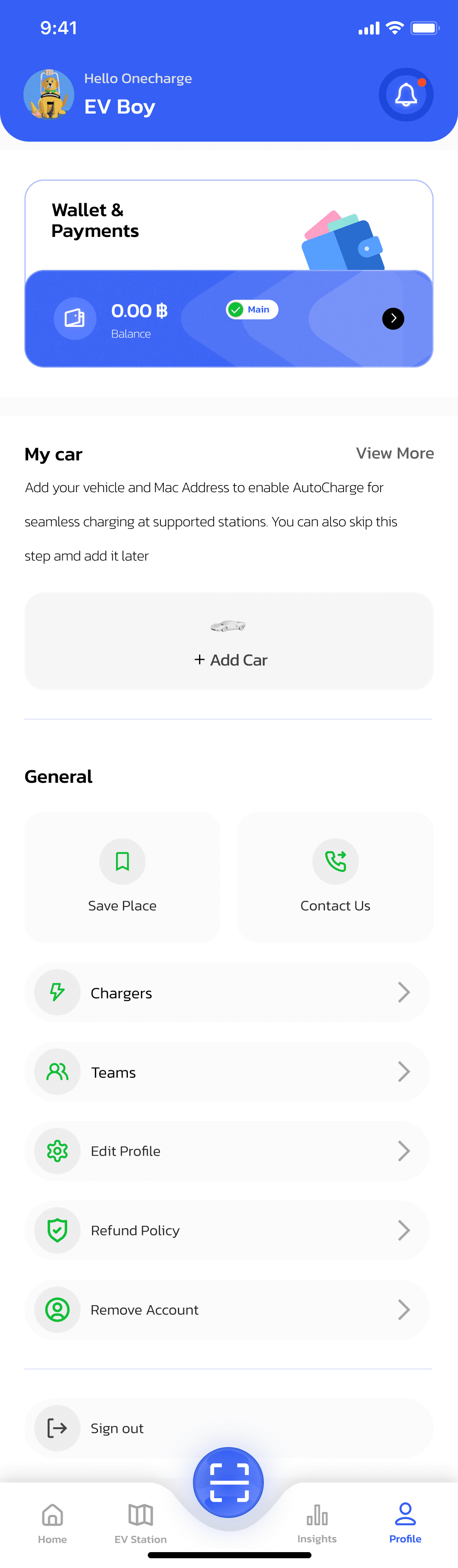
Tap Add Car from the Profile tab
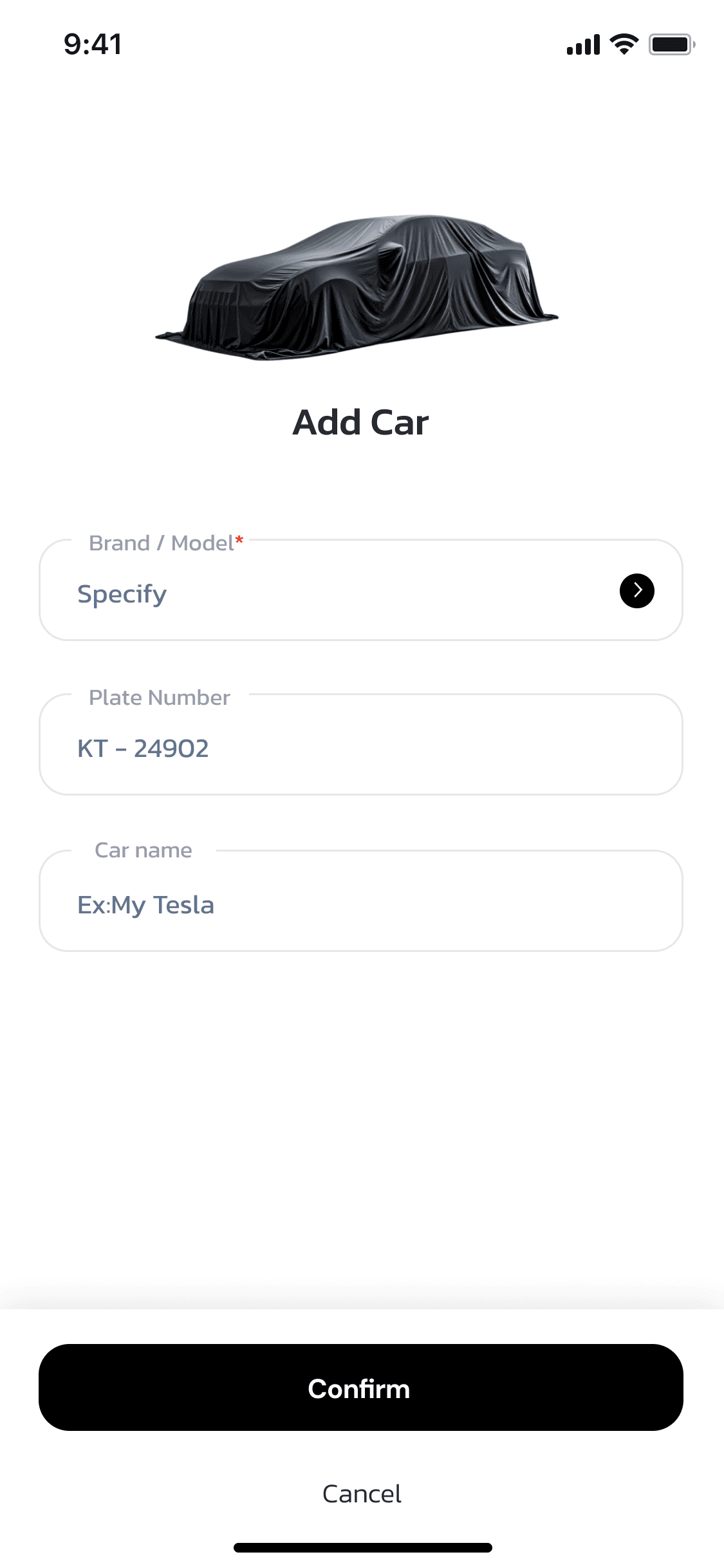
Choose the brand/model and enter the plate number
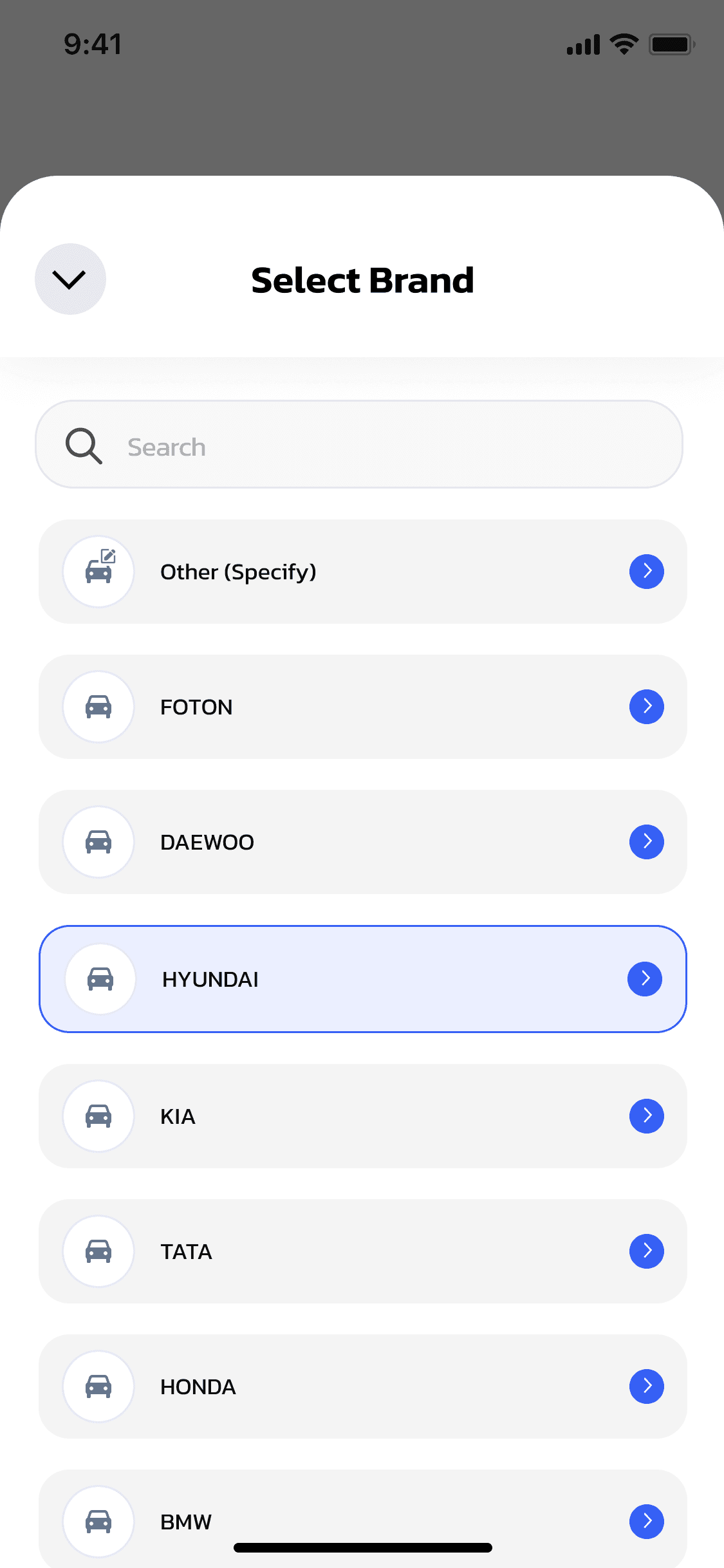
Search or pick your vehicle's brand
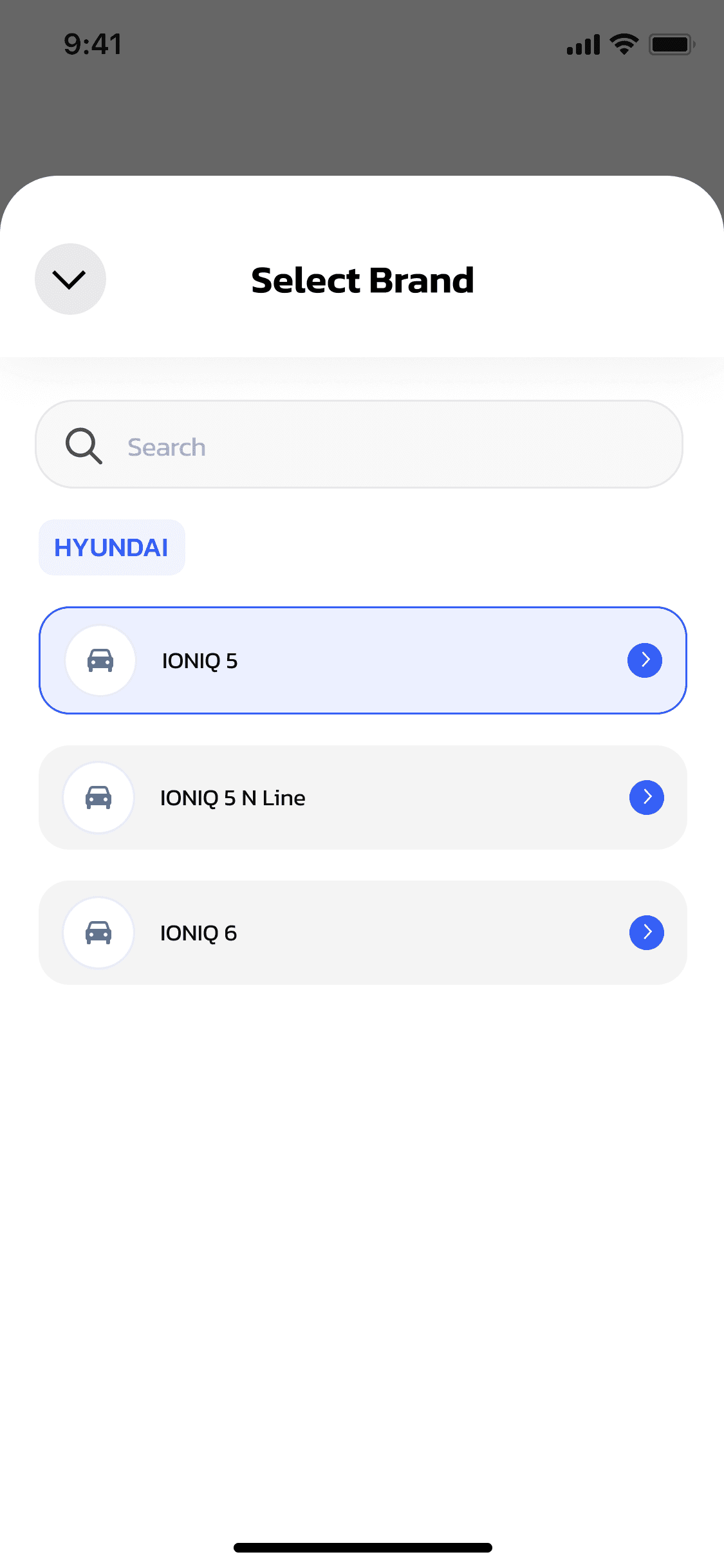
Select the exact model from the brand's lineup
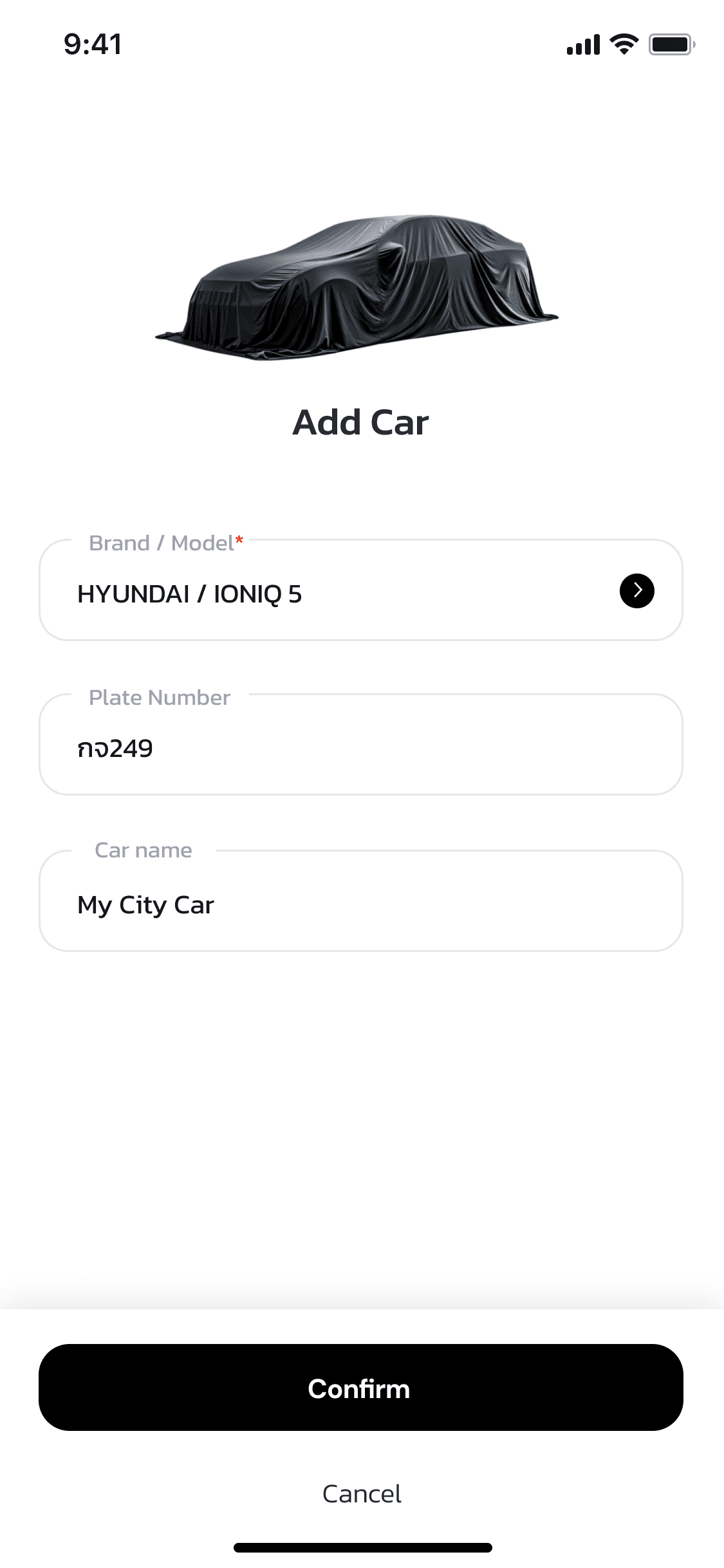
Fill in details and tap Confirm to save the vehicle
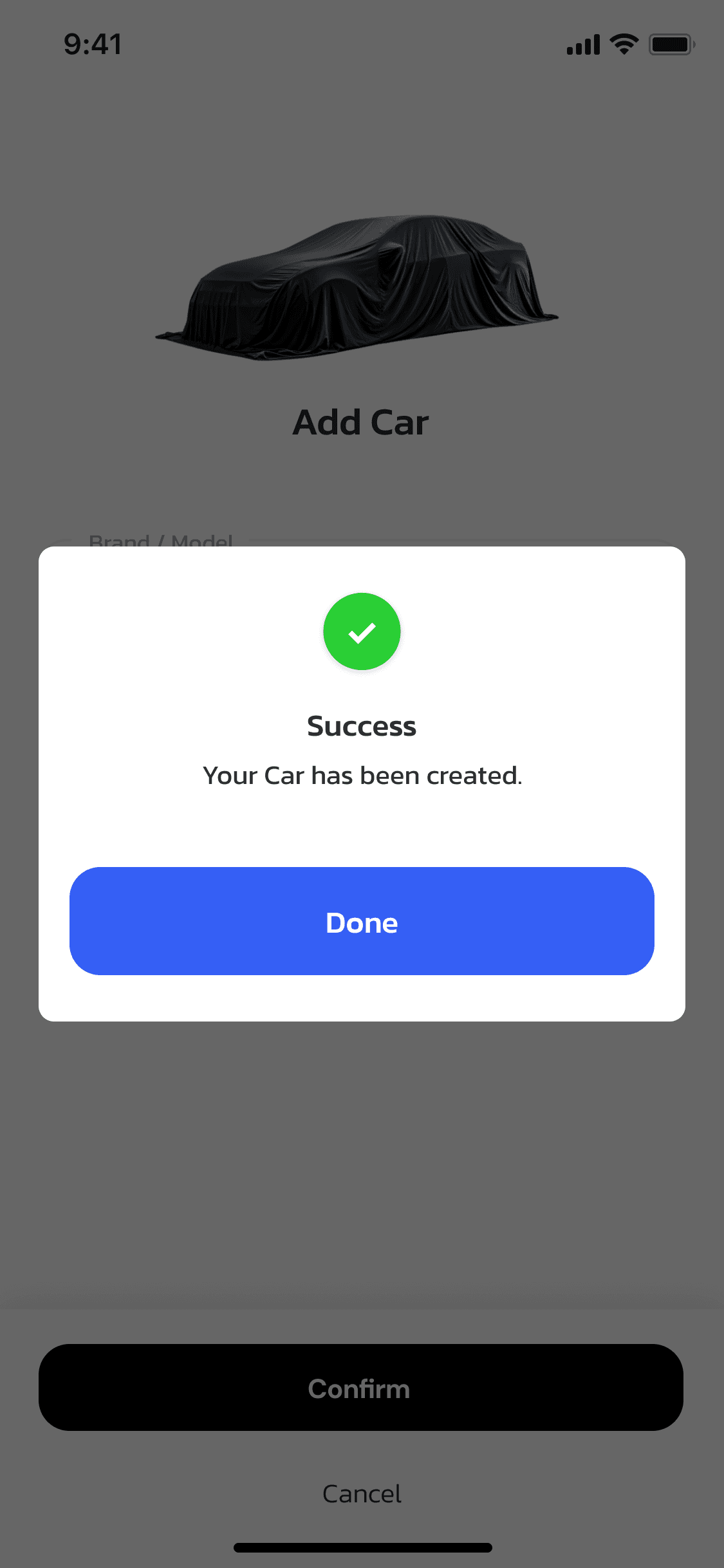
Success message confirms the car has been added
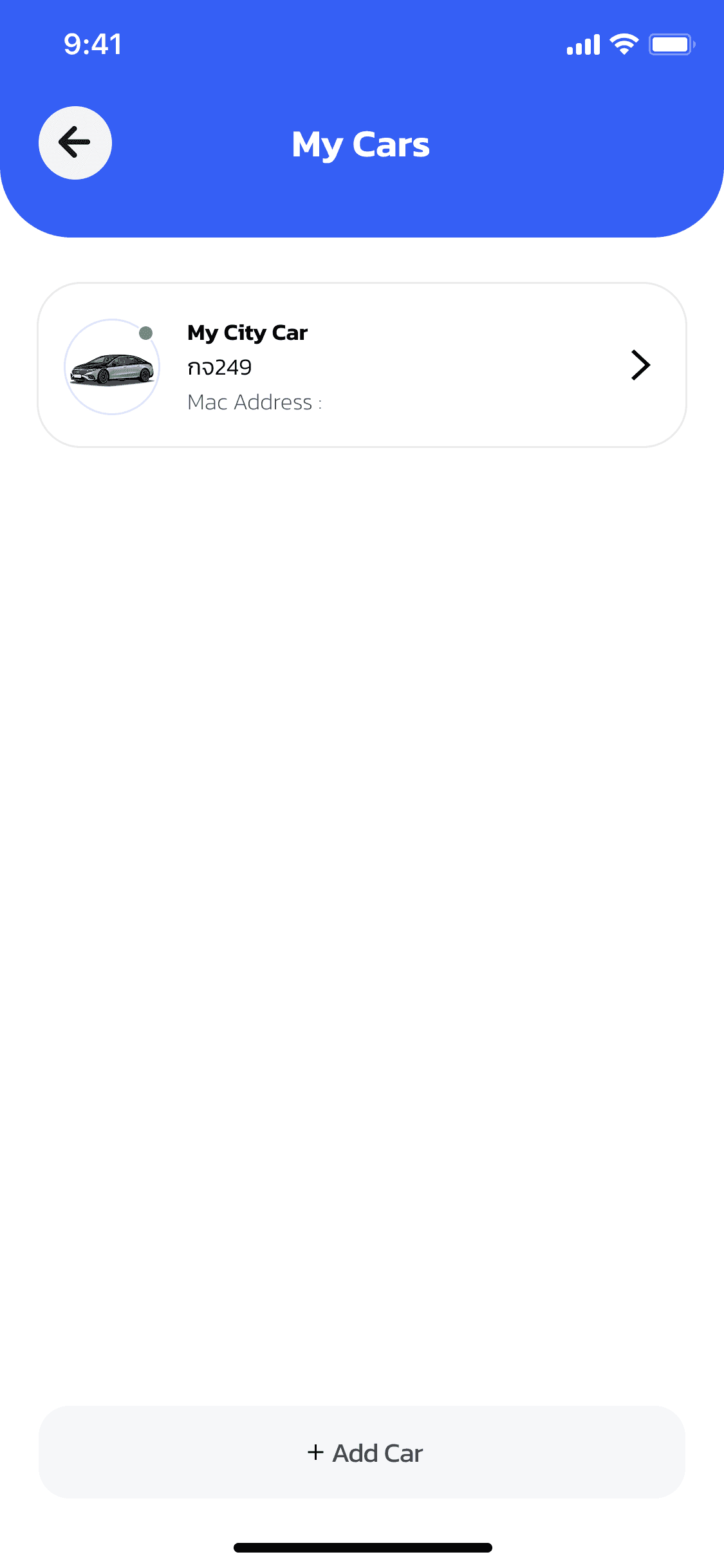
The new car appears under My Cars, ready for AutoCharge
Enable AutoCharge
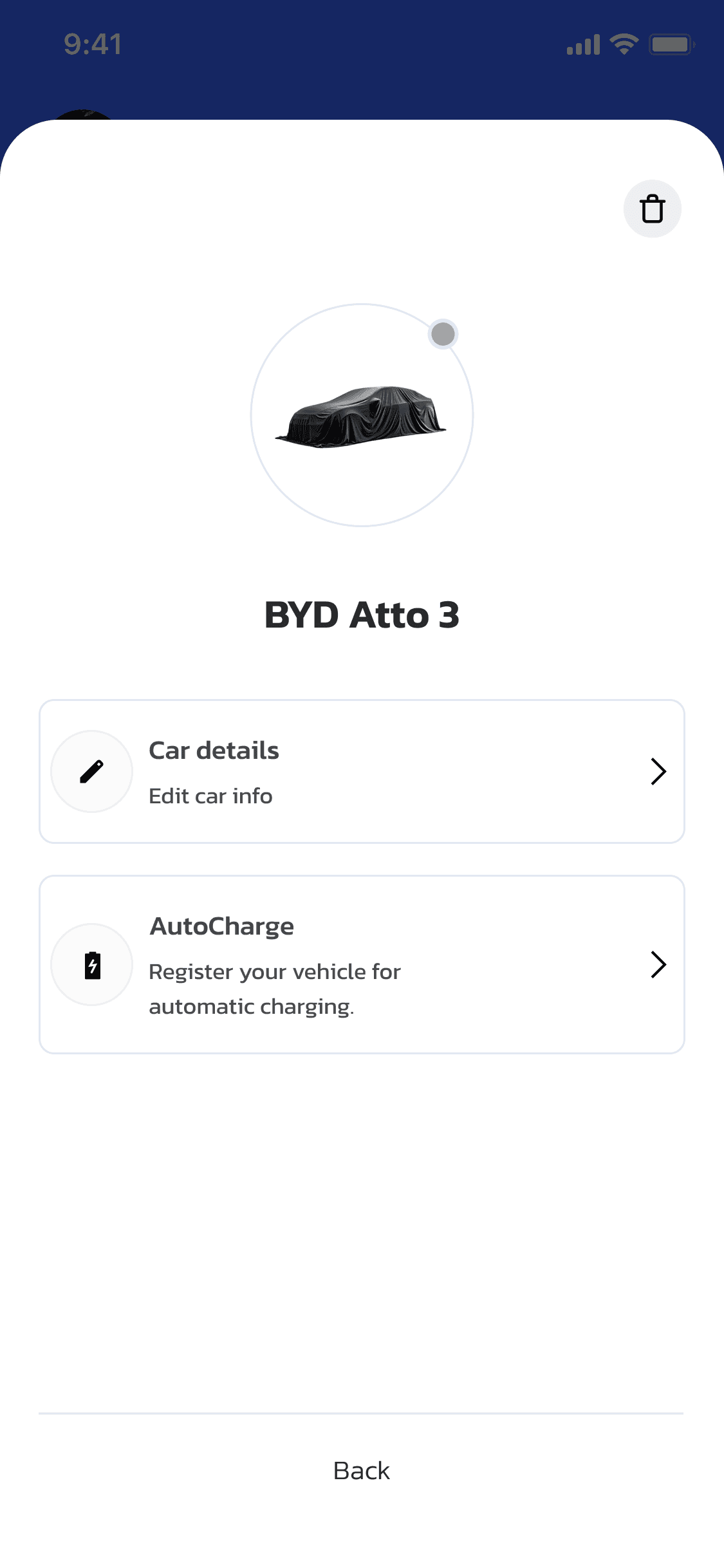
Open the car's detail page and tap AutoCharge
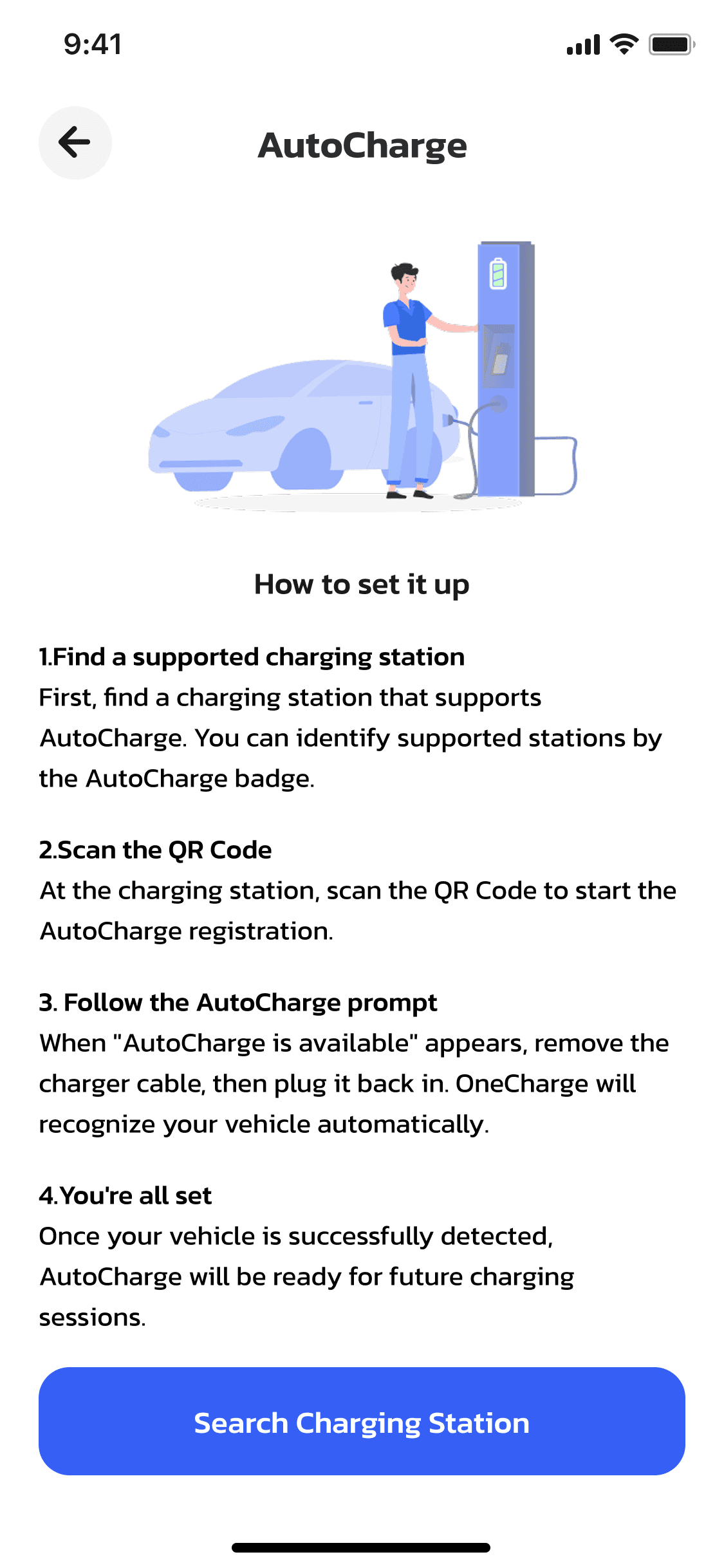
Read the setup guide, then search for a charging station
.png&w=3840&q=75)
Scan the QR code on the charger to start registration
.png&w=3840&q=75)
Tap the AutoCharge banner to register this connector
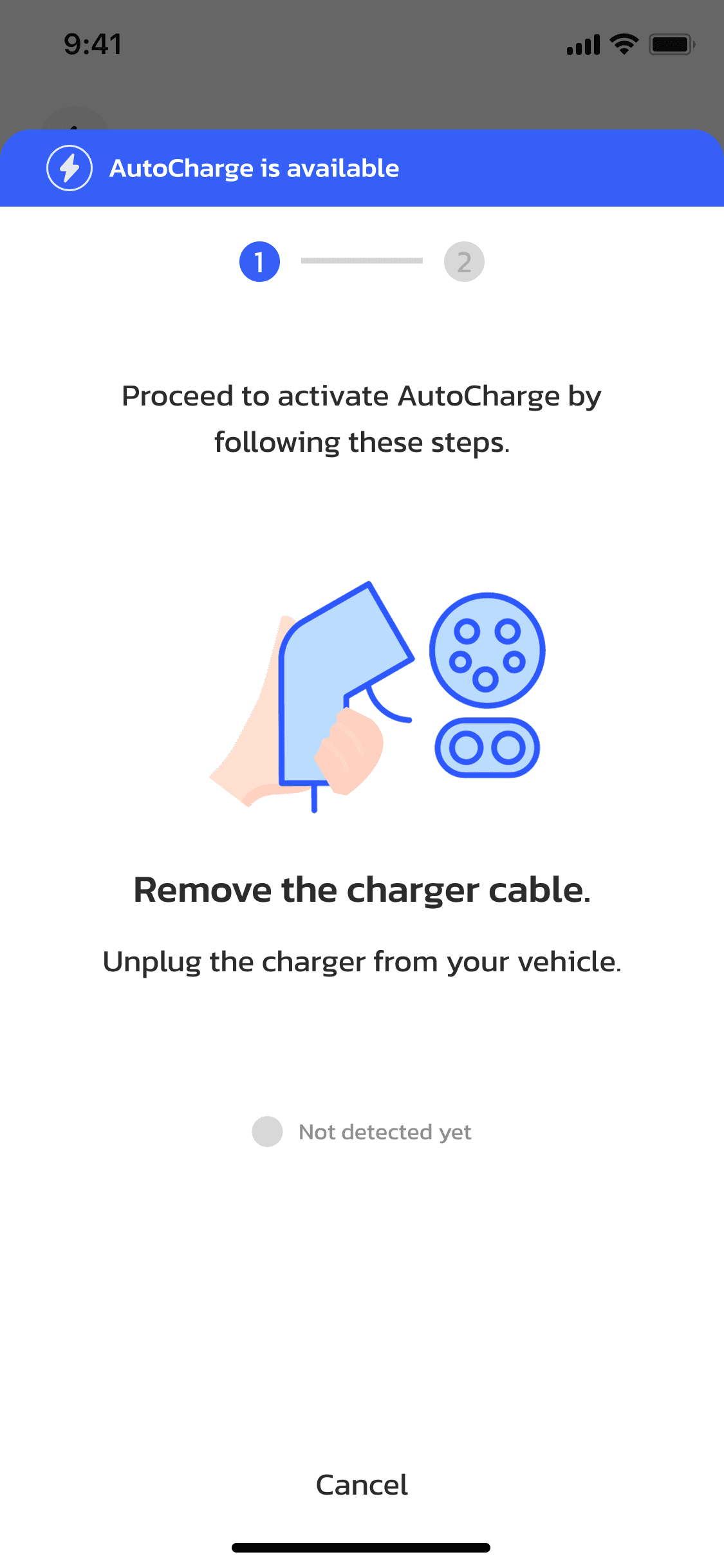
Unplug the charger cable from your vehicle to continue
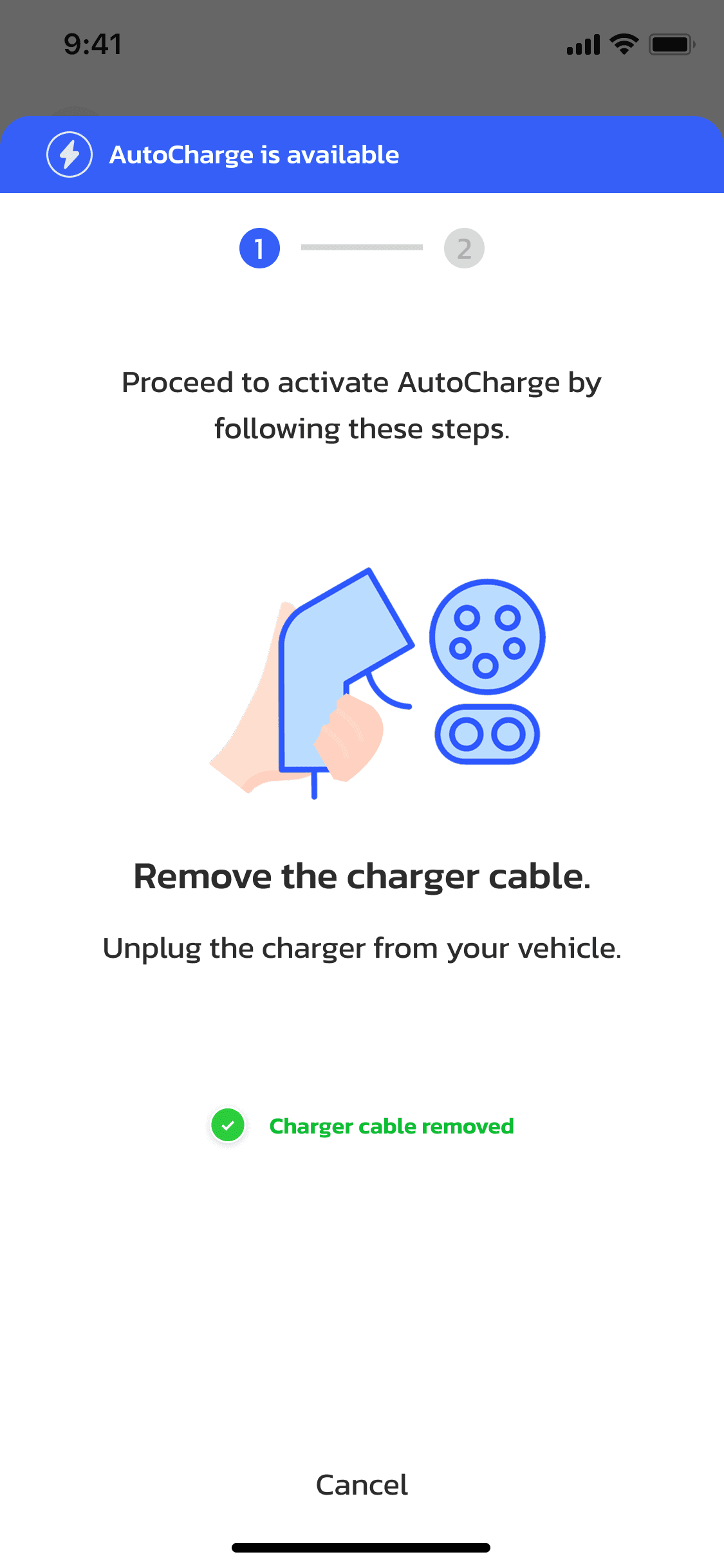
The app confirms the charger cable was removed
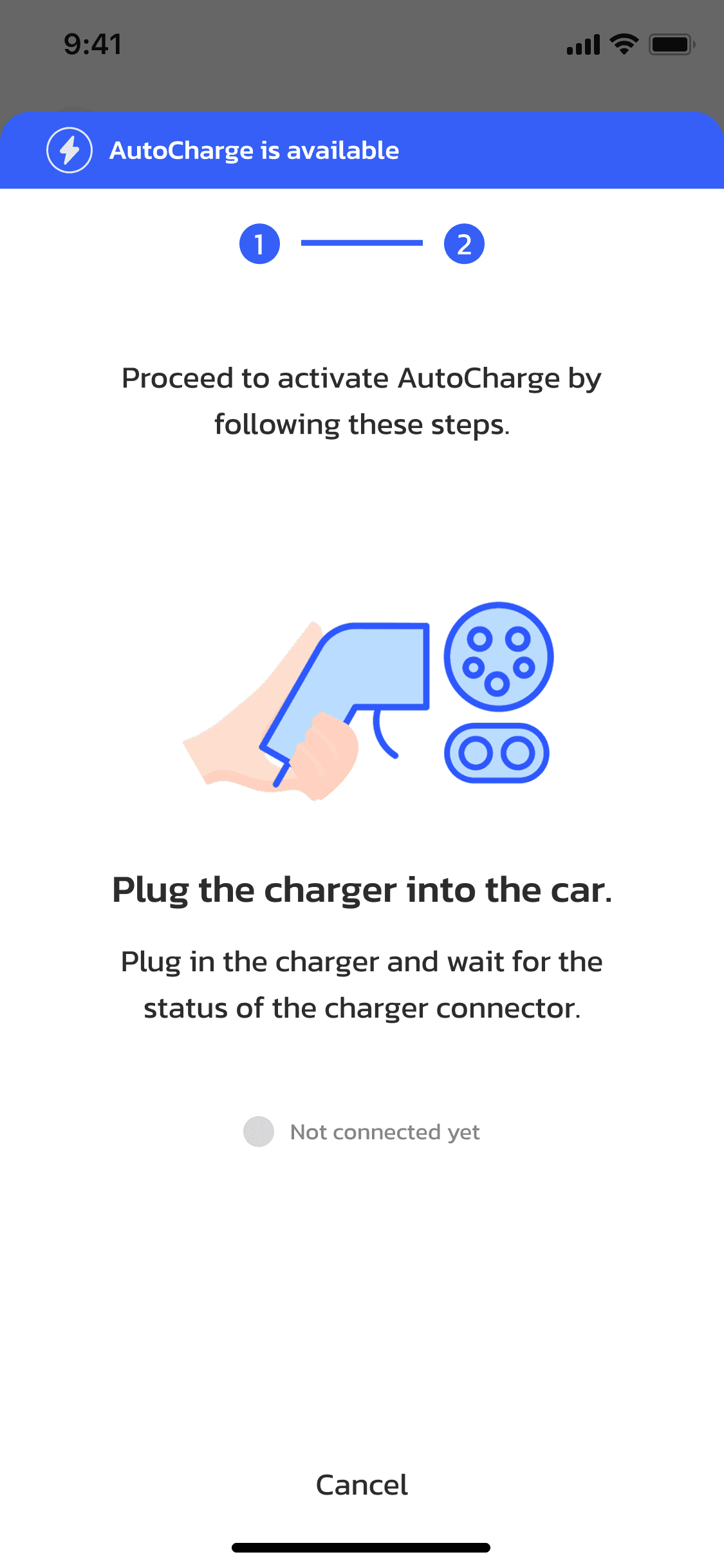
Plug the charger back in and wait for the status to update
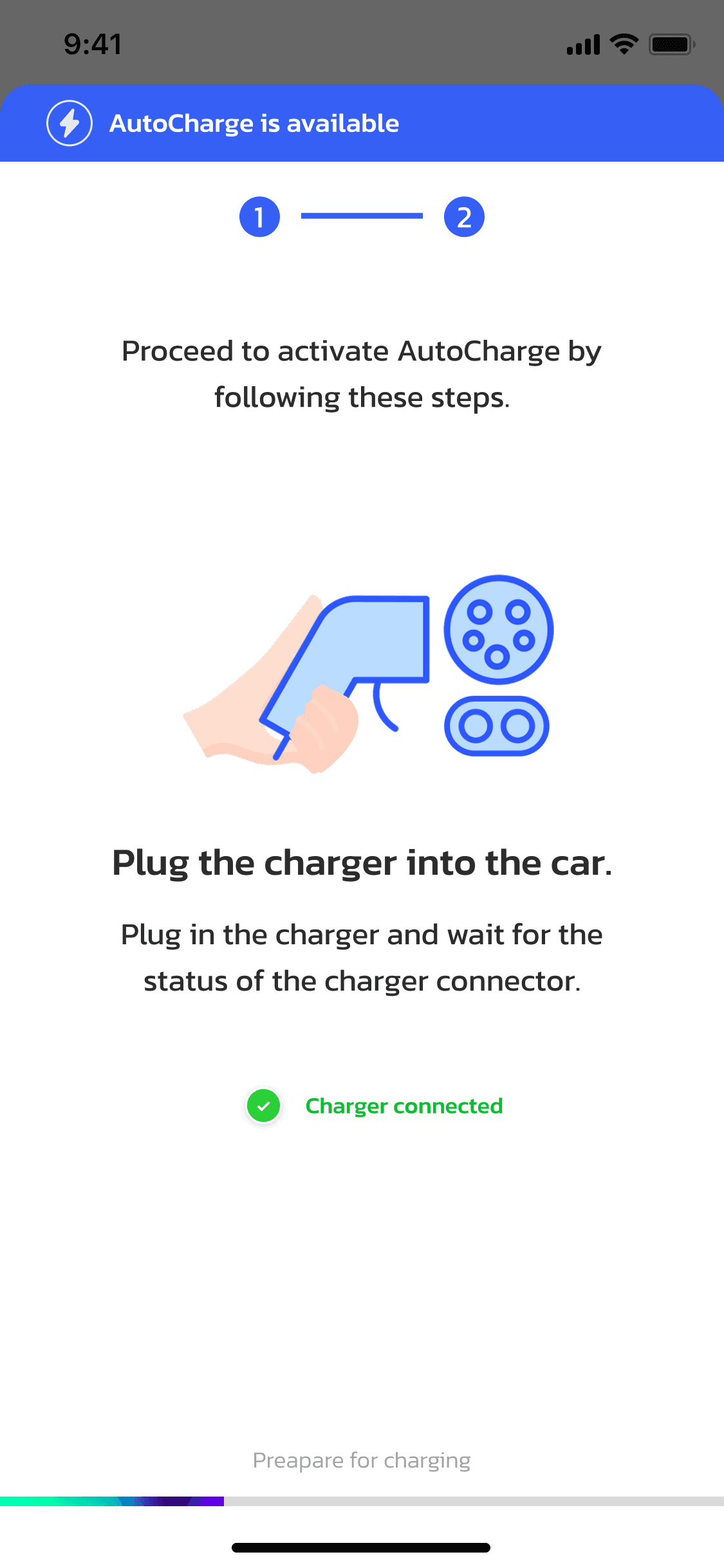
The app detects the connection and prepares for charging
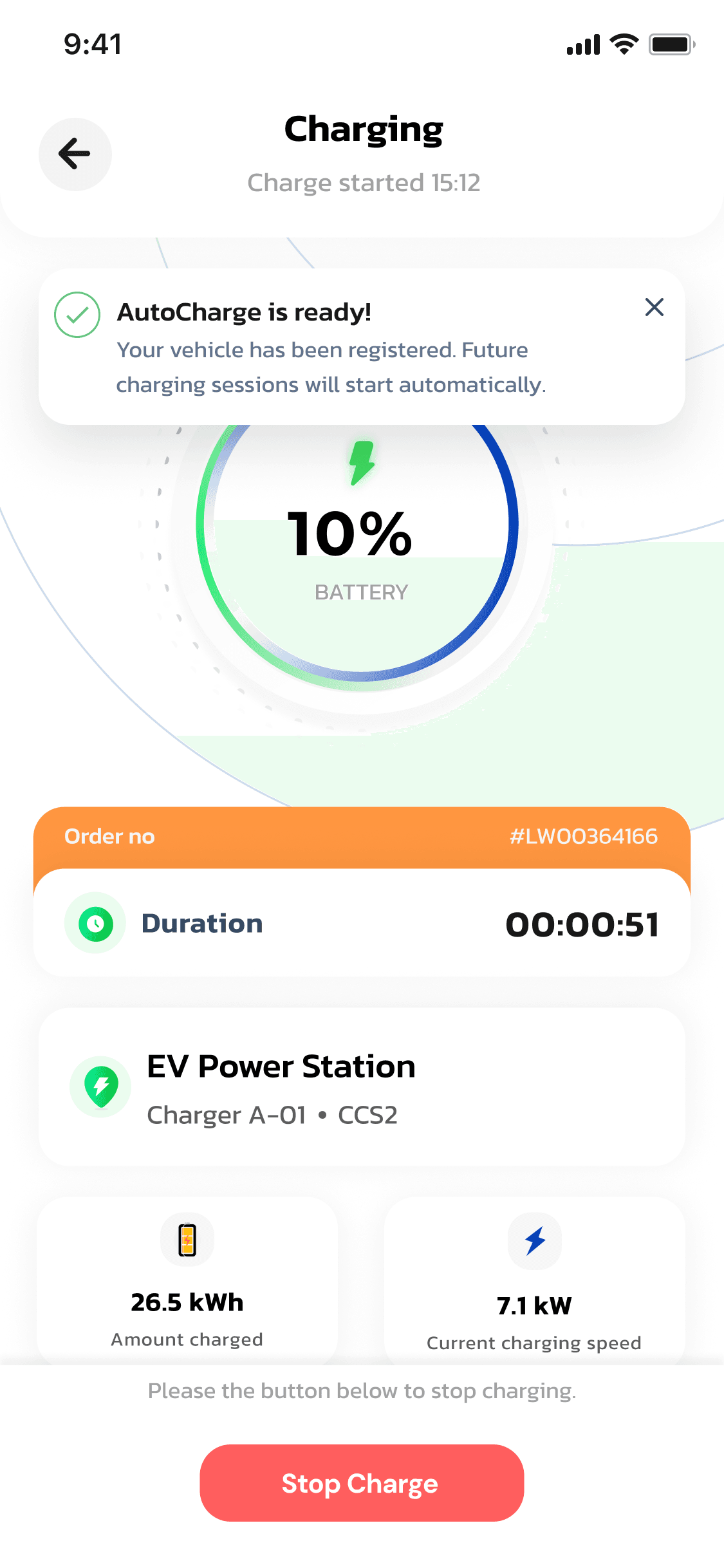
Charging starts automatically — AutoCharge is ready